
How do I see the availability of my colleagues?
Updated Reading time: 1 min
With shared calendars, you can see when colleagues are available – practical for planning joint appointments.
Add a colleague's calendar#
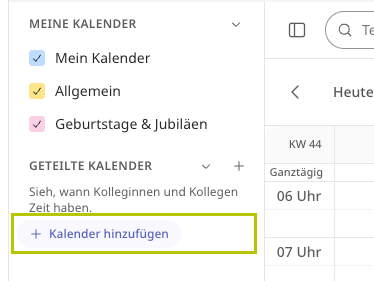
Click on Add Calendar under Shared Calendars in the sidebar.
Select the desired person under Select Person.
Click on Add.
You will then see the person's busy times – without titles and without locations. No consent is required for this.
Info
If you also want to see the details of the appointments, enable Additionally request appointment details when adding. The person concerned will be notified and decides for themselves whether to grant access.
Show or hide shared calendars#
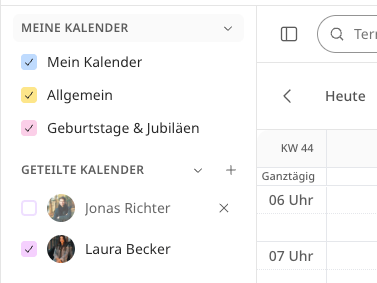
Added calendars appear in the sidebar under Shared Calendars. Use the checkmark to show or hide them as needed.