01
One place for all knowledge
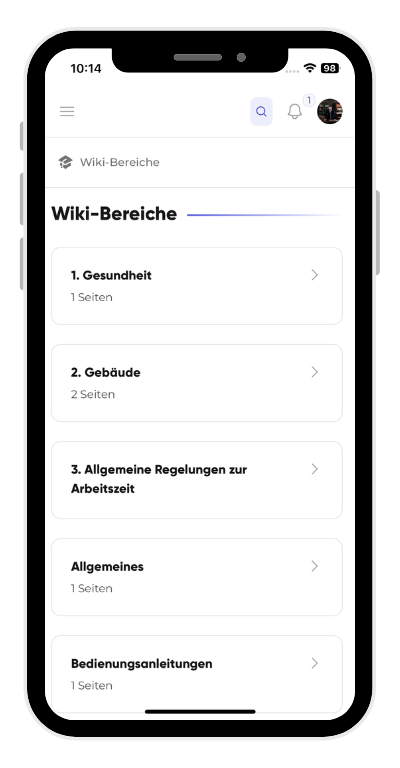
Instructions, procedures and guidelines live in the wiki – structured, up to date and readable for everyone instead of scattered across drives and people's heads.
Solution
Knowledge sits scattered: on servers, in folders, in a few people's heads. Kibi Connect bundles instructions, forms and processes in one place – findable on mobile, even when staff change.

✕ Without Kibi Connect
✓ With Kibi Connect
Instructions, procedures and guidelines live in the wiki – structured, up to date and readable for everyone instead of scattered across drives and people's heads.
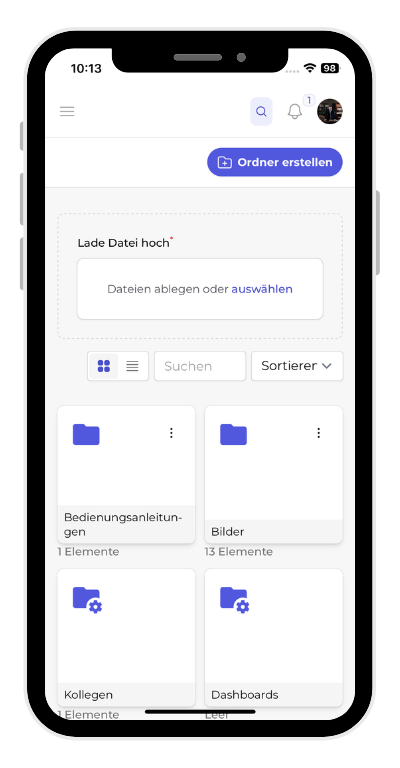
Documents, forms and templates are stored centrally and instantly searchable. Office applications can also be opened and edited directly in the platform.
Employees find the right document on the go within seconds – in the browser and as an iOS and Android app, without PC access or searching a network drive.
Documents and knowledge stay GDPR-compliant on one platform – hosted in Germany.
Yes. Wiki and files are available on mobile for iOS and Android – the right instruction is at hand on the smartphone in seconds.
It stays in the business. Instructions and processes are documented in the wiki – not just in a few people's heads. That makes onboarding and handovers easier.
In a short demo we show how Kibi Connect provides knowledge and documents centrally.